How to Order
Follow these simple steps to place your order.
Table of Contents
Browse & Select Products
Browse our product catalog and add items to your cart. Minimum order quantity: 5boxes. You can select different products to meet the minimum.
Send a Quote Request
Once you've added items to your cart, go to the cart page and copy the quote URL. Send the URL to us via message so we can prepare your quote.
Receive Your Quote
Our representative will review your request and send you a detailed quote. The quote will include product prices, shipping costs ⚠️ Since shipping costs vary depending on weight, we will calculate them each time and provide you with a quote. ⚠️Tariffs are not included.
Payment
We accept payment via Wise (bank transfer) and PayPal. You can also make a bank transfer using a SWIFT code. Please provide your information using the template below so we can prepare your invoice.
AProvide Your Information
To create your invoice, we need the following details. Please copy this template, fill it in, and send it to us:
Zip code:
Country:
Address:
City:
Company Name:
Your name:
Phone Number:
E-mail address:

【EU customers only】
VAT Number:
EORI Number:
※If you don't have a VAT number, EORI, or company name, you can leave those fields blank.
BChoose Your Payment Method
PayPalPay via PayPal(5% fee)▼
- We will send you a PayPal invoice to your email address.
- Open the invoice and click "Pay" to complete the payment.
WisePay via Wise▼
- Open Wise and go to "Send money".
- Add a new recipient.
- Select JPY as the currency.
- Choose "Bank account details".
- Select "Business / Organization".
- Enter the bank details below:
Step-by-step Wise instructions:
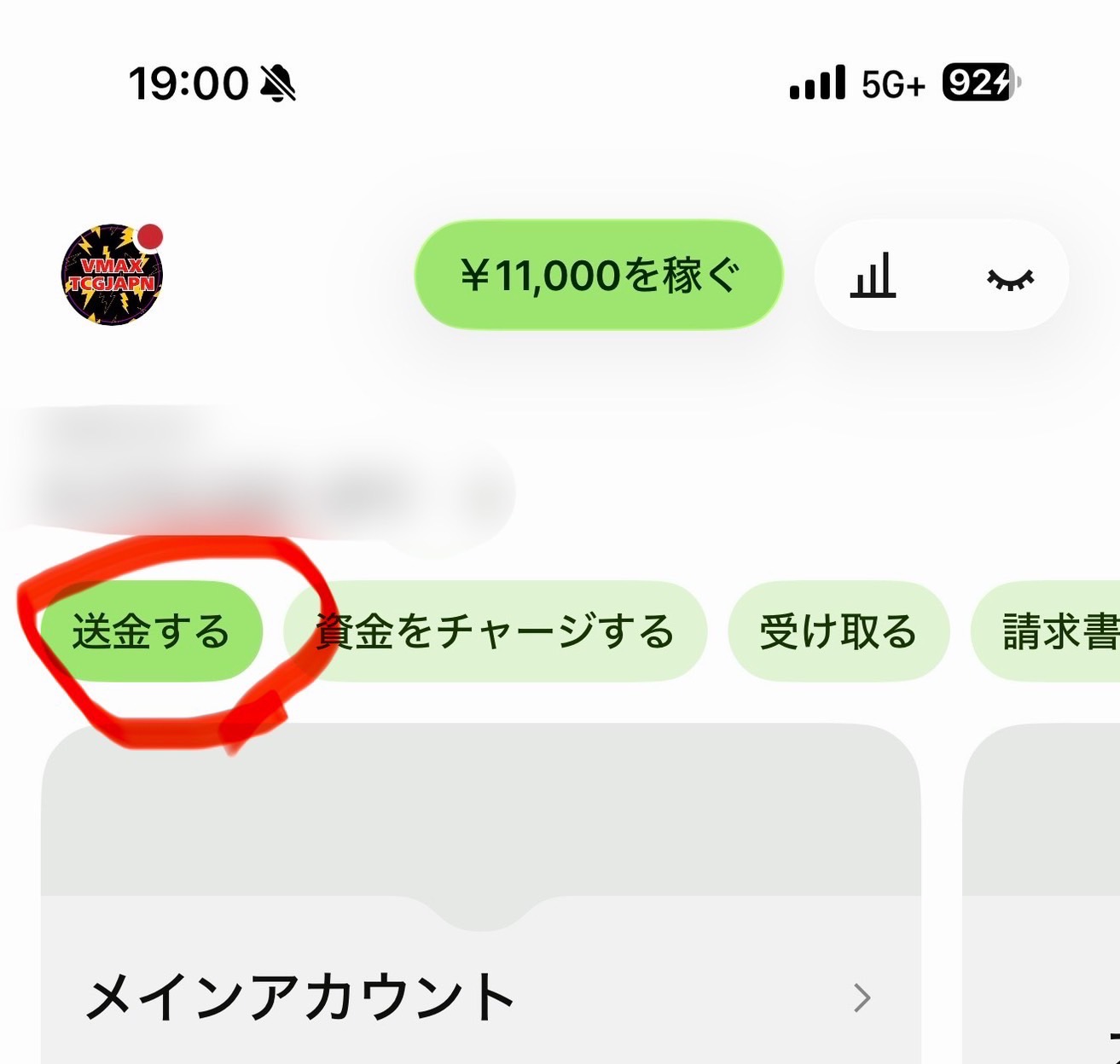
Step 1
Tap "Send money" (送金する) on the Wise home screen.
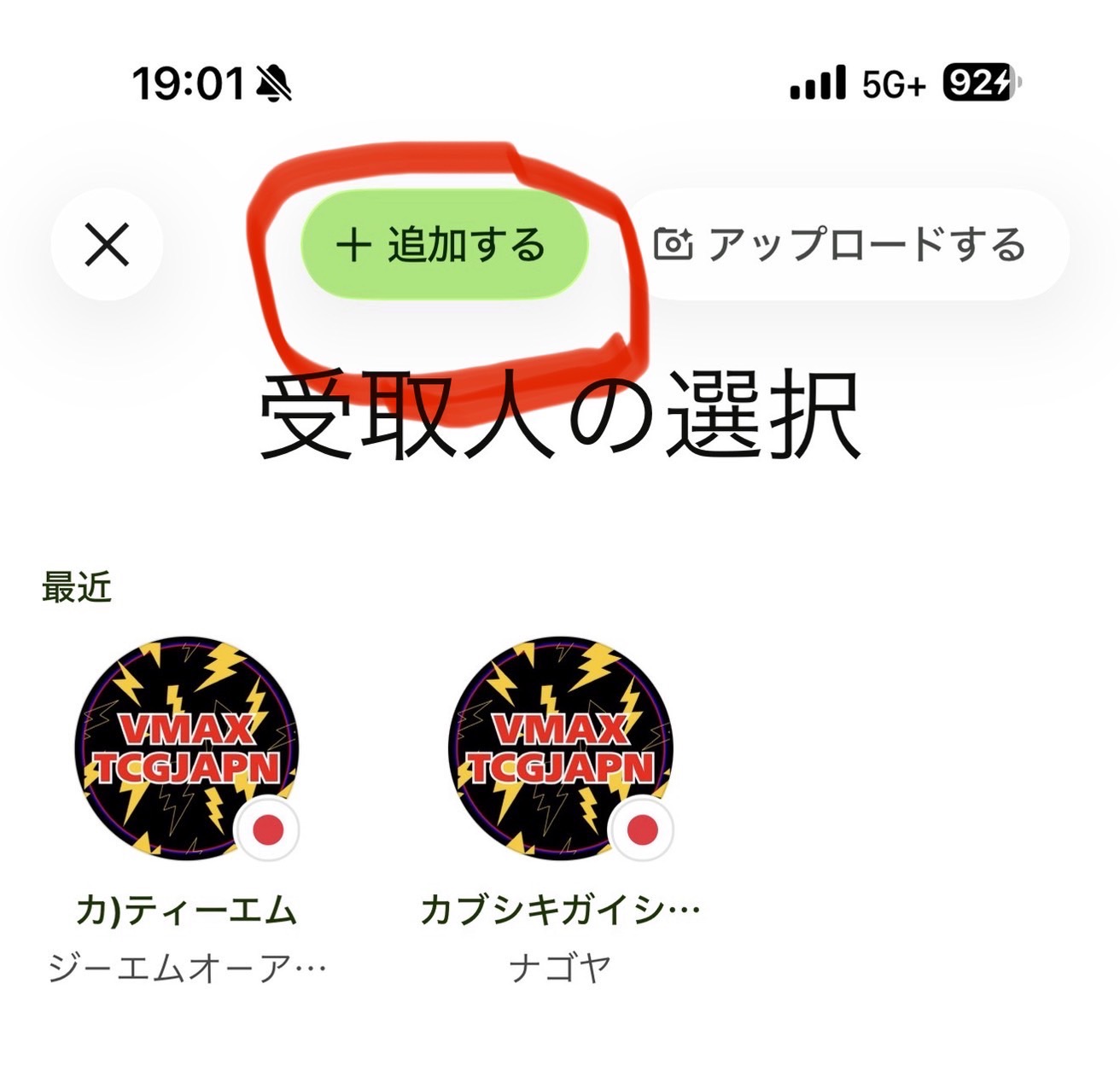
Step 2
Tap "+ Add" (+追加する) to add a new recipient.
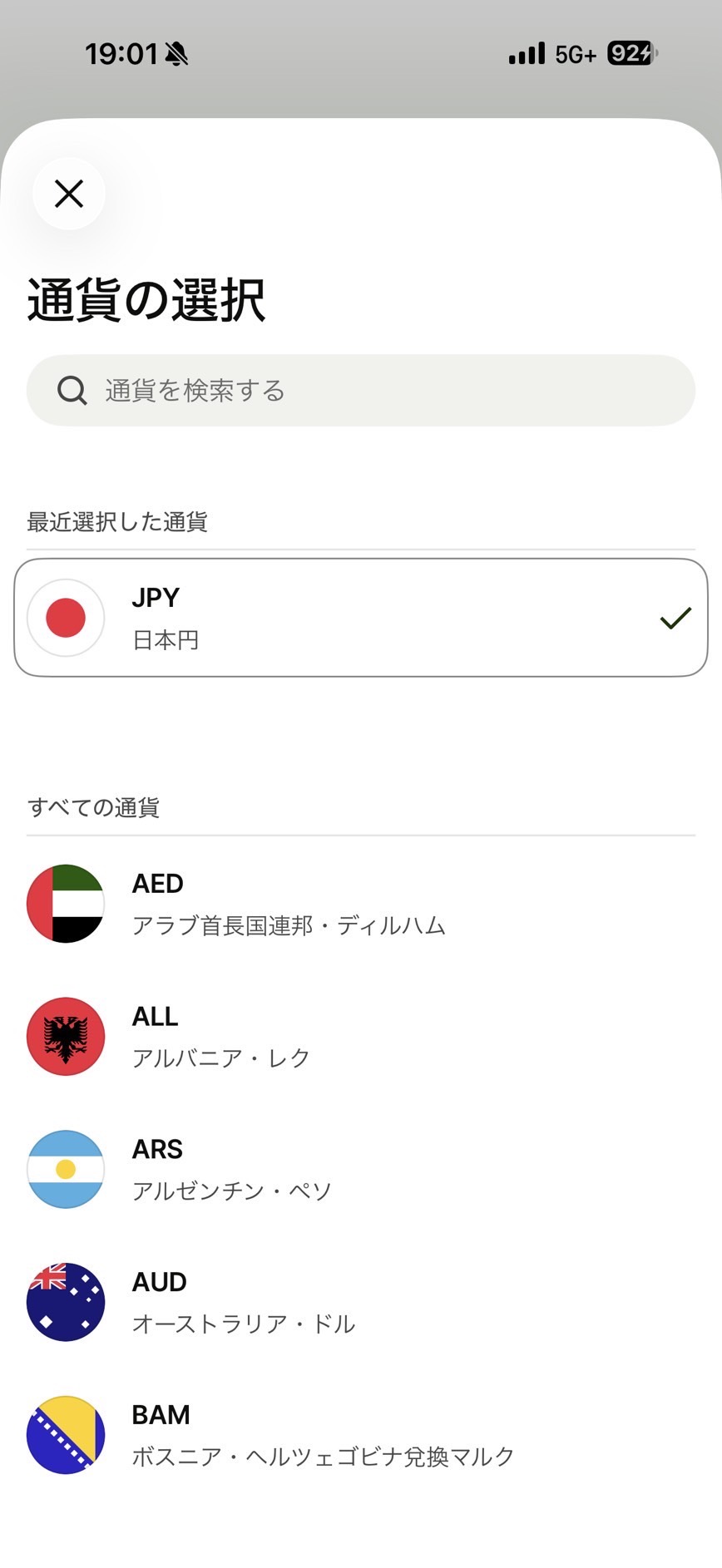
Step 3
Select "JPY" (Japanese Yen) as the currency.
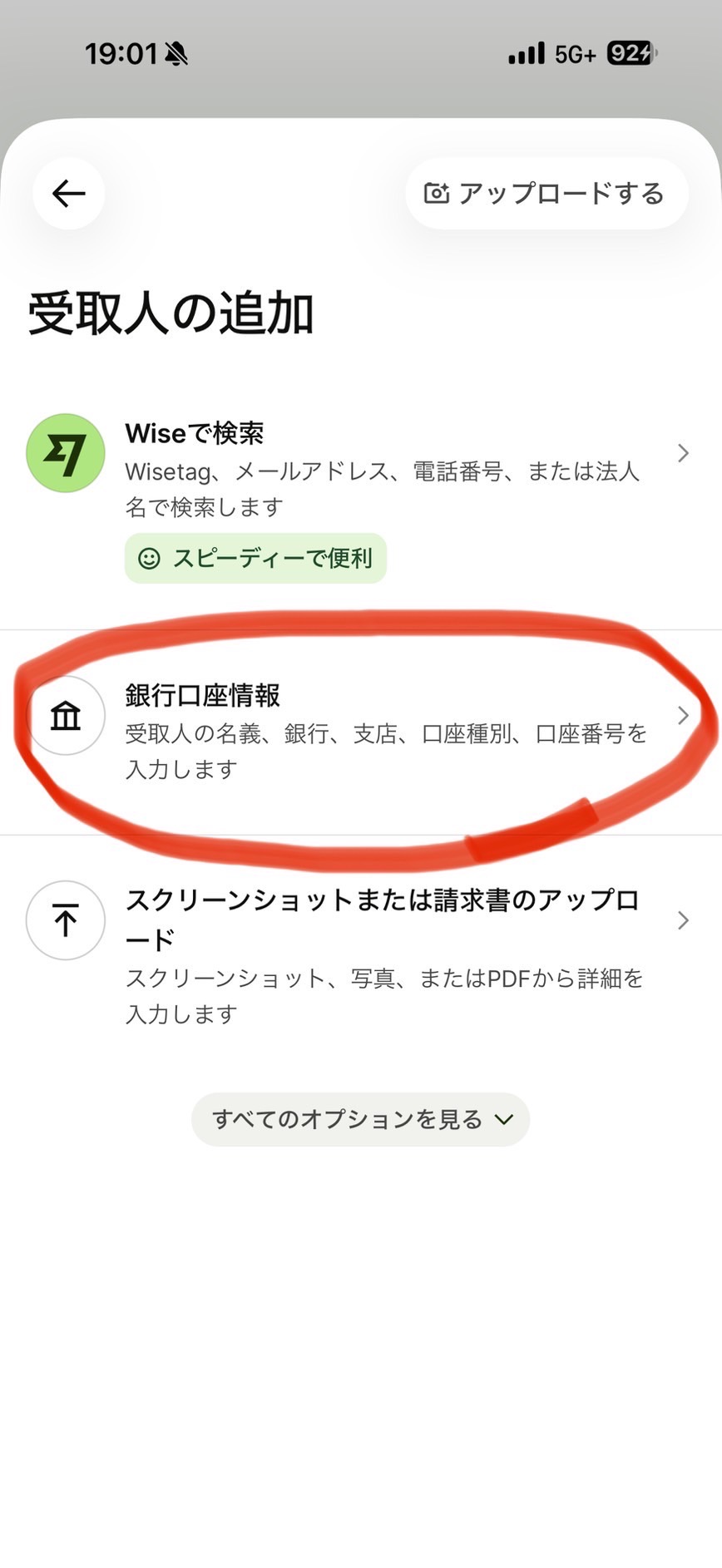
Step 4
Choose "Bank account details" (銀行口座情報) to enter bank info manually.
Step 5
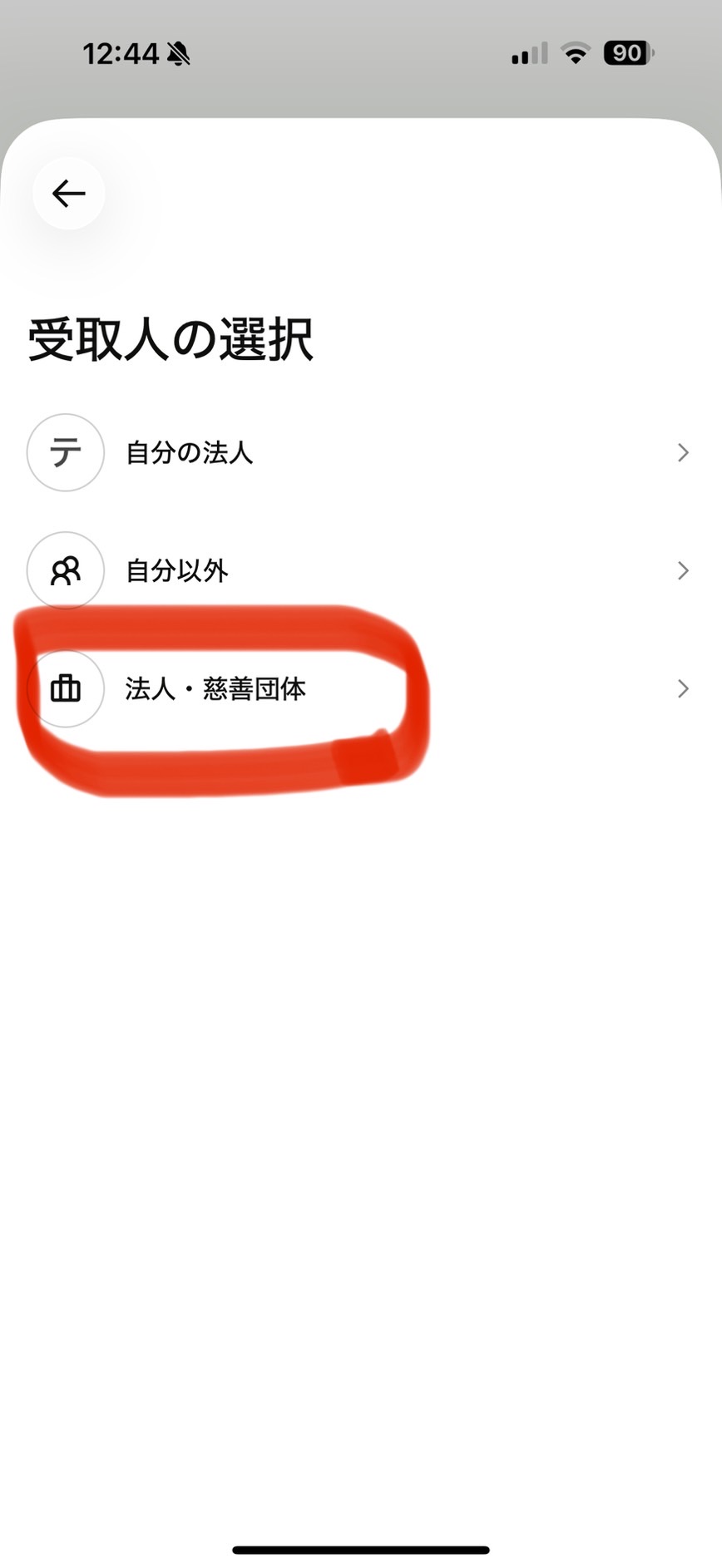
Select "Business / Charity" (法人・慈善団体) as the recipient type.
Step 6
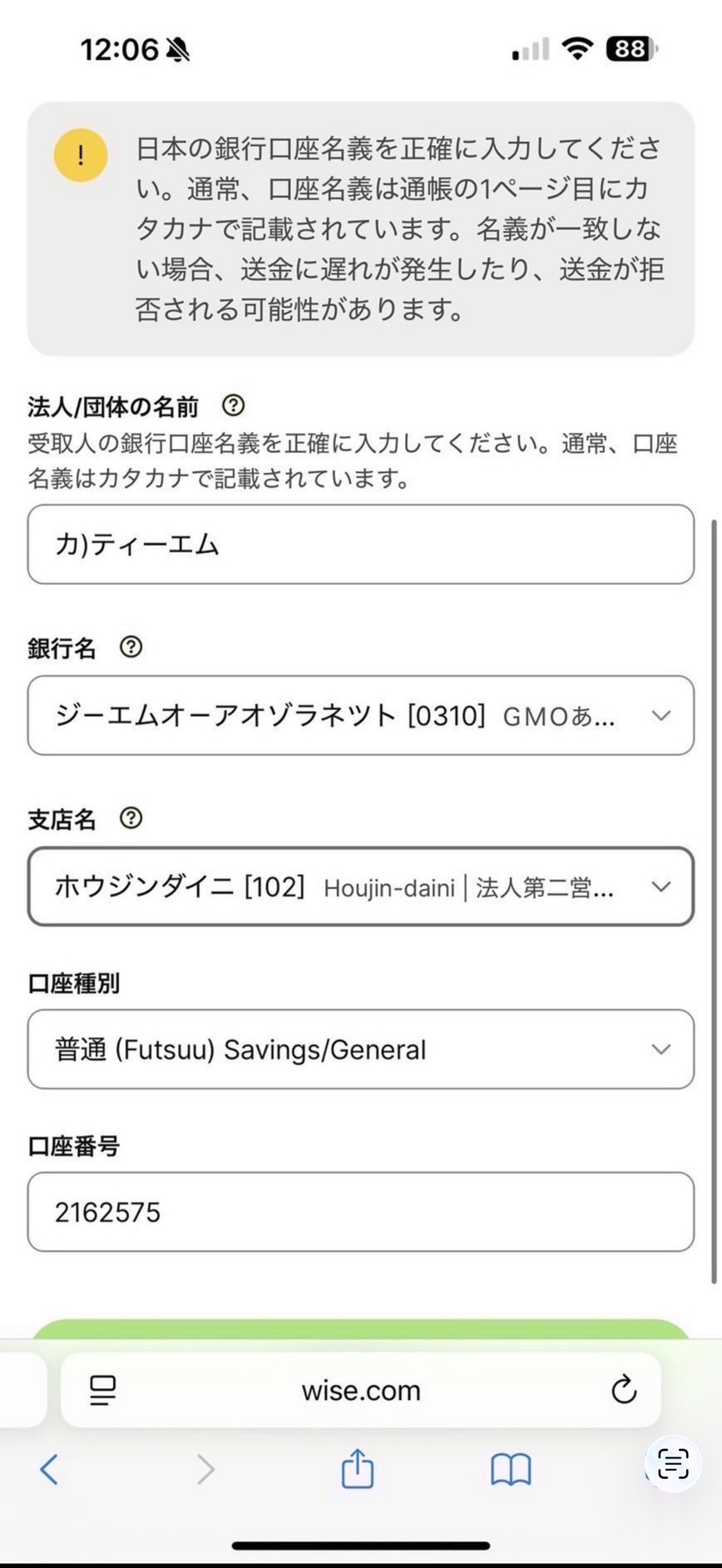
Enter the bank details using the information below. Make sure to copy & paste the company name in katakana.
JPY
カ)ティーエム
⚠ Copy & paste exactly (katakana)
GMO Aozora Net Bank(ジーエムオーアオゾラネット)
102(ホウジンダイニ)
Savings Deposit(Futuu)
2162575
Shipping
Orders shipped to the United States and most countries in Asia are typically delivered within one business day of shipment. Orders shipped to EU countries are typically delivered within two business days of shipment. Please note that delivery may be delayed due to customs clearance or other unforeseen shipping circumstances. We appreciate your understanding.
Minimum Order Quantity
The minimum order quantity is 5 boxes. You can mix different products to meet the minimum.